
Starting Off with the Okta Expression Language
Learn how to reference, transform, and combine attributes in Okta User Profiles and Application User Profiles using the Okta Expression Language.
Okta's Expression Language is based on SpEL (Spring Expression Language), a powerful expression language that lets you get, transform, and combine attributes before they're stored in a user's Okta profile or passed to an application.
Assumptions
- You are the Okta Admin with sufficient permission to manage and edit fields within the Profile Editor section of Okta.
- Your organization has purchased the Universal Directory license.
Getting Started
Okta User Profile
Every user created or imported into Okta has an Okta User Profile. This serves as the central source of truth for a user's core attributes. To reference a user's attribute in Okta, you'll need to reference "User" and a specified attribute — specifically, the variable name.
To find a list of available attributes (variables), log into your Okta instance and navigate to:
Directory > Profile Editor > Okta Profile
From there, you'll see each attribute's Display Name along with its Variable Name. You'll need to reference the Variable Name to get the output to show.
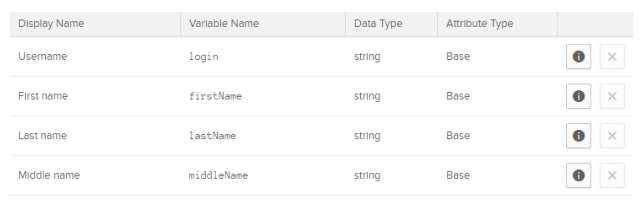
For example, assume we have a user named Ryan Howard (ryan.howard@ironcovesolutions.com). We'll reference variable names listed in Okta to get an output.

When we use the user.department syntax, the output displayed is Null. This tells us that the user's department is empty.
case sensitive. Referencing "firstname" will return an error along the lines of "Invalid property firstname in expression." As shown above, the variable name for First Nameis "firstName".Going Further
Application User Profile
All Okta users have their own application user profiles for each of their assigned applications. Application user profiles are used to store application-specific information such as an application username or role. To view application-specific attributes, log into Okta and navigate to:
Directory > Profile Editor > select the Application that you want to work with
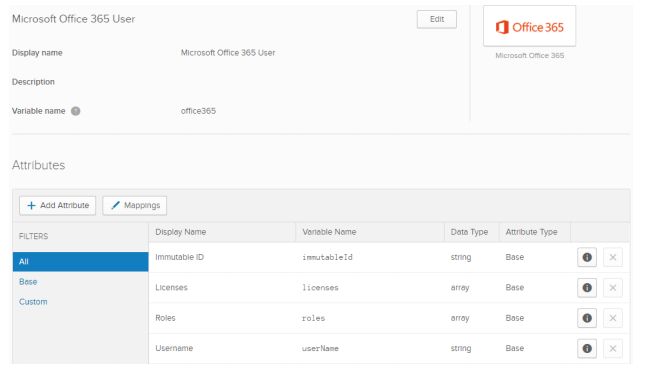
These attributes can be used to push information to other applications or even the Okta Profile. For example, assume a user named Ryan Howardhas application data stored in Active Directory (AD). First, ensure that data is imported to Okta. Once that's complete, use the following syntax to call attributes stored in AD.

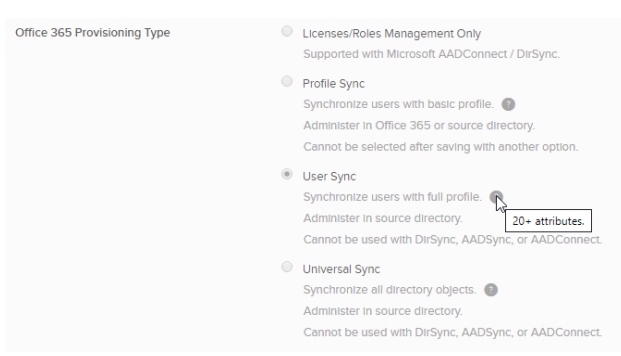
If the attributes are filled out within AD and are syncing to Okta, you can use the examples above to push data to other applications such as Office 365 — this can be checked using the Profile Editor under "Mapping" from Okta to Office 365. For example, to map a user's AD title or department attribute to Office 365, go to the Profile Editor, locate Office 365, and within the "Okta to Office 365" tab, locate the attributes and enter the correct syntax.
Clicking the Previewbutton at the bottom of the screen lets you confirm the attribute was "pulled" from AD and "pushed" to Office 365 correctly.
Using the Okta Expression Language can be confusing at first, but used effectively it's also very powerful.
Need Help With Attribute Level Mastering or the Expression Language?
Iron Cove Solutions has been deploying Okta since 2017. Give us a call and we'll be happy to assist you and your organization with everything Okta related.
Call (213) 545-0601Schedule a 15-Min CallJoin Our Newsletter
© 2026 | Iron Cove Solutions| Privacy | Simplifying Cloud-Based Intention